Thank you for sending your enquiry! One of our team members will contact you shortly.
Thank you for sending your booking! One of our team members will contact you shortly.
Duration 105 hours
Course Outline
Introduction
Week 1: Introduction to Mobile Development
- Mobile App Ecosystem and Trends
- An overview of the mobile app landscape across iOS and Android
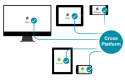
- Distinguishing between native, hybrid, and cross-platform applications
- Understanding the mobile app development workflow and associated tools
- Native vs Cross-Platform Development
- Comparing app development for single platforms (native) versus multiple platforms (cross-platform)
- Evaluating the pros and cons of each development approach
- Reviewing common native platforms (iOS, Android) and cross-platform frameworks (React Native, Flutter)
- Introduction to JavaScript Programming
- Core syntax and structural elements of JavaScript
- Working with variables, constants, and data types (number, string, boolean, object)
- Utilizing operators and expressions
- Managing control flow with
if,else, andswitchstatements - Understanding functions and scoping mechanisms (global vs local scope)
- Setting up Xcode for iOS Development
- Familiarizing with the Xcode IDE, including its interface, tools, and workflow
- Installing Xcode and launching the iOS simulator
- Introduction to the Swift programming language
- Creating and running a basic Swift application on the iOS simulator
- Setting up Android Studio for Android Development
- Installing Android Studio and configuring the development environment
- Configuring and utilizing the Android Emulator
- Introduction to the Kotlin programming language and its basic syntax
- Creating and running a basic Kotlin application on the Android emulator
- Setting up React Native Development Environment
- Installing Node.js and the React Native CLI
- Introduction to Expo and initializing a project with Expo
- Running a simple "Hello World" application on both iOS and Android emulators
Week 2: iOS and Android Fundamentals
- Introduction to Swift and Xcode IDE
- Managing variables and data types in Swift (Int, Float, String, Bool, etc.)
- Using
letfor constants andvarfor variables - Implementing control flow statements (
if,switch, and loops) - Defining functions and parameters in Swift
- Handling errors effectively in Swift
- User Interface Design in iOS
- Introduction to storyboards and the Xcode Interface Builder
- Designing app layouts using Auto Layout and constraints
- Incorporating UI components such as buttons, labels, text fields, and images
- Managing user interactions and events (e.g., button clicks)
- Creating a simple login form with input validation
- Introduction to Kotlin and Android Studio IDE
- Core Kotlin syntax, including variables, data types, and functions
- Understanding Kotlin's null safety features and data classes
- Overview of Android app architecture and key components (Activities, Fragments)
- Managing the activity lifecycle in Android applications
- User Interface Design in Android
- Designing Android interfaces using XML layout files
- Working with various layout managers (LinearLayout, RelativeLayout, ConstraintLayout)
- Adding interactive components like buttons, text views, and edit texts
- Using Java/Kotlin to handle user input and manage activity transitions
- Building a login form with robust input validation
- Debugging Basics in Xcode and Android Studio
- Utilizing breakpoints, logs, and the debugger console
- Common debugging tools and techniques for iOS (Xcode Instruments, Simulator)
- Common debugging tools for Android (Logcat, Android Debug Bridge)
- Testing and Running Apps on Real Devices
- Connecting physical devices to Xcode and Android Studio
- Deploying applications to physical hardware (iPhones and Android phones)
- Simulating various network conditions, battery levels, and performance metrics
Week 3: Cross-Platform Development with React Native
- Introduction to React Native and JavaScript for Mobile
- Understanding what React Native is and its benefits
- Overview of how React Native compiles JavaScript into native code
- JSX Syntax: Creating HTML-like structures within JavaScript
- React components: Comparing Functional vs Class-based approaches
- Managing data flow through State and Props in React Native components
- Styling in React Native
- Introduction to Flexbox and its role in layout design
- Crafting responsive layouts compatible with both iOS and Android
- Applying platform-specific styles using the React Native
Platformmodule
- React Navigation for Cross-Platform Apps
- Introduction to React Navigation and its container types
- Implementing Stack Navigation for smooth screen transitions
- Building Tab and Drawer navigation for more complex applications
- Transferring data between screens and managing navigation states
- Accessing Native Device Features
- Integrating device capabilities such as the camera and location services in React Native
- Utilizing APIs for Geolocation, Camera, and AsyncStorage
- Managing permissions for accessing device hardware (including differences between iOS and Android)
- Storing data locally with AsyncStorage and integrating third-party libraries for persistence
- Preparing Apps for Deployment
- Configuring app settings for production environments in Xcode and Android Studio
- Building APKs for Android and testing on real devices
- Preparing iOS applications for App Store submission (including app icons and signing certificates)
- Finalizing React Native projects for production deployment on both platforms
- Final Project Presentation
- Presentation of the final cross-platform React Native app to the cohort
- Gathering feedback and discussing areas for improvement
- Final Q&A session and closing remarks
Summary and Next Steps
Requirements
- A fundamental understanding of programming concepts
Target Audience
- Mobile developers
- Programmers
Testimonials (3)
Everything is ok.
Adrian Rybka - SEOyon
Course - Flutter Development Bootcamp with Dart
Very usefull additional informations
Grzegorz - Comp S.A.
Course - BLoC Pattern
Developing the User Auth App and the kahoot activity (made myself sure that i'm absorbing the training lectures :) and its fun!)